The Problem with Manual Uploads
When you post a position on Naukri.com or LinkedIn for a mid-level IT role in Bengaluru, Hyderabad, or Pune, you can receive 150-300 applications within 48 hours. For operations or BPO roles, that number regularly crosses 500. Opening each resume individually — even at just 90 seconds per file — means 7.5 hours of unproductive work before a single candidate conversation begins.
This is the daily reality for recruiters at small and mid-size Indian consultancies who do not have enterprise ATS systems. They work across WhatsApp, email attachments, and local folders — not integrated platforms. Bulk upload directly from their existing folders is the fastest path from inbox chaos to shortlist.
Bulk Upload, Instant Analysis
Select Multiple Files
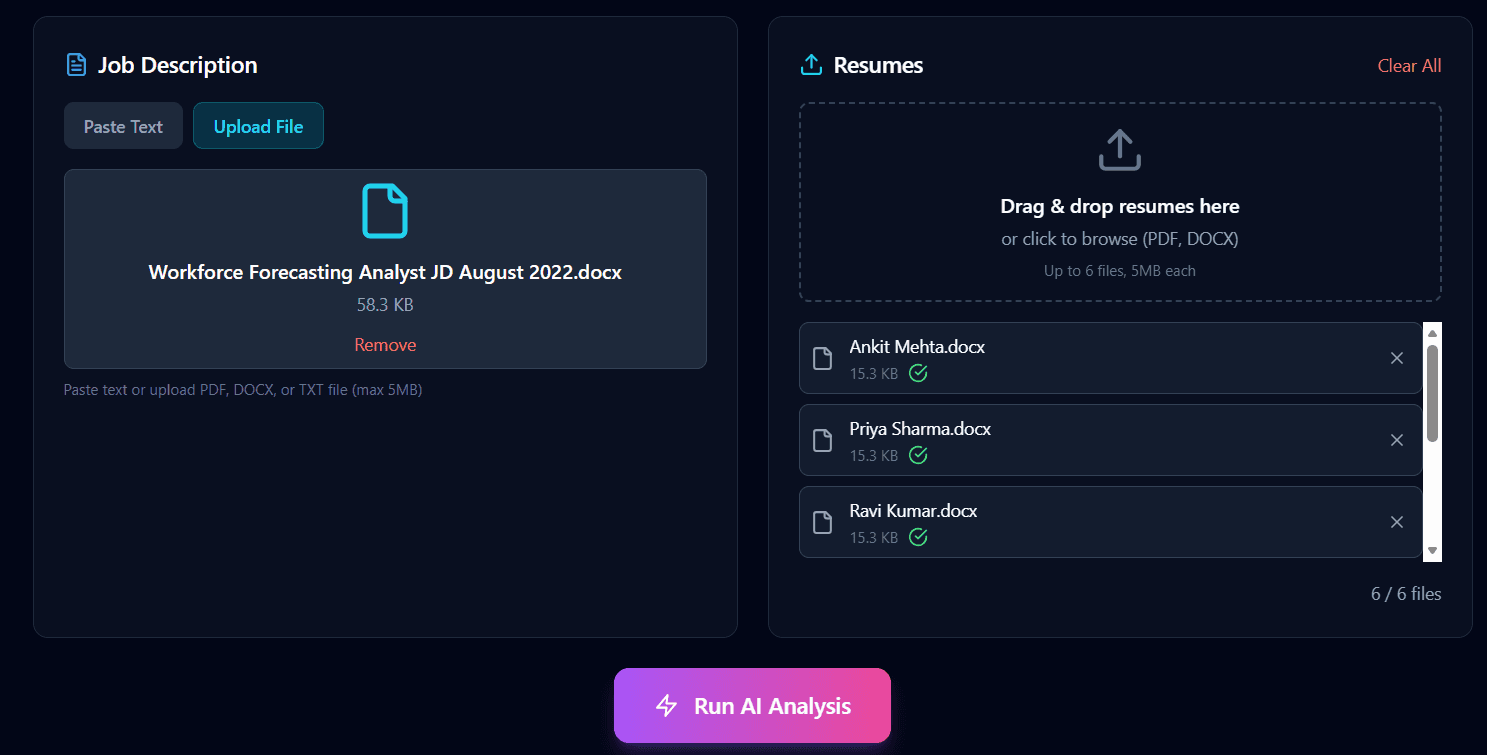
Upload resumes in bulk — the full product supports up to 100 per batch.
Automatic Processing
The system automatically extracts and processes content from each resume.
Real-Time Results
Watch as resumes are analyzed and candidates appear in your ranked shortlist.
How to Screen Resumes in Bulk
The bulk screening workflow is intentionally simple. Four steps take you from a folder of resumes to a ranked shortlist you can start reviewing.
Paste your job description
Add the JD for the role you are hiring for. The same JD is used to evaluate every resume in the batch, so all candidates are measured against one consistent bar.
Select up to 100 resumes
Drag and select up to 100 files from your folder in PDF, DOCX, DOC, or TXT format. All files in a batch are analyzed in parallel, so batch size does not increase wait time.
AI processes the batch in parallel
Each resume is parsed and compared against your JD using semantic matching. A batch of 100 typically completes in under 30 seconds — not minutes per resume.
Review the ranked shortlist
Candidates appear as a ranked list with match scores. Start your human review at the top of the list and work down — the filtering work is already done.
Supported Formats
Frequently Asked Questions
What file formats are supported?
Empikalyze supports all major resume formats: PDF, DOCX, DOC, and TXT. The system automatically extracts and processes content from each format.
How long does bulk resume screening take?
Most batches complete in under 20 seconds regardless of size, because all resumes are analysed in parallel. A batch of 6 resumes takes the same time as a batch of 30. For 100 resumes you can expect results in under 30 seconds — compared to 2.5-4 hours of manual review for the same volume.
How many resumes can I upload at once?
The playground lets you try with up to 6 resumes so you can experience results instantly. The full product supports up to 100 resumes per batch — all processed in parallel, so a batch of 100 takes the same time as a batch of 6.